Run it. See it.
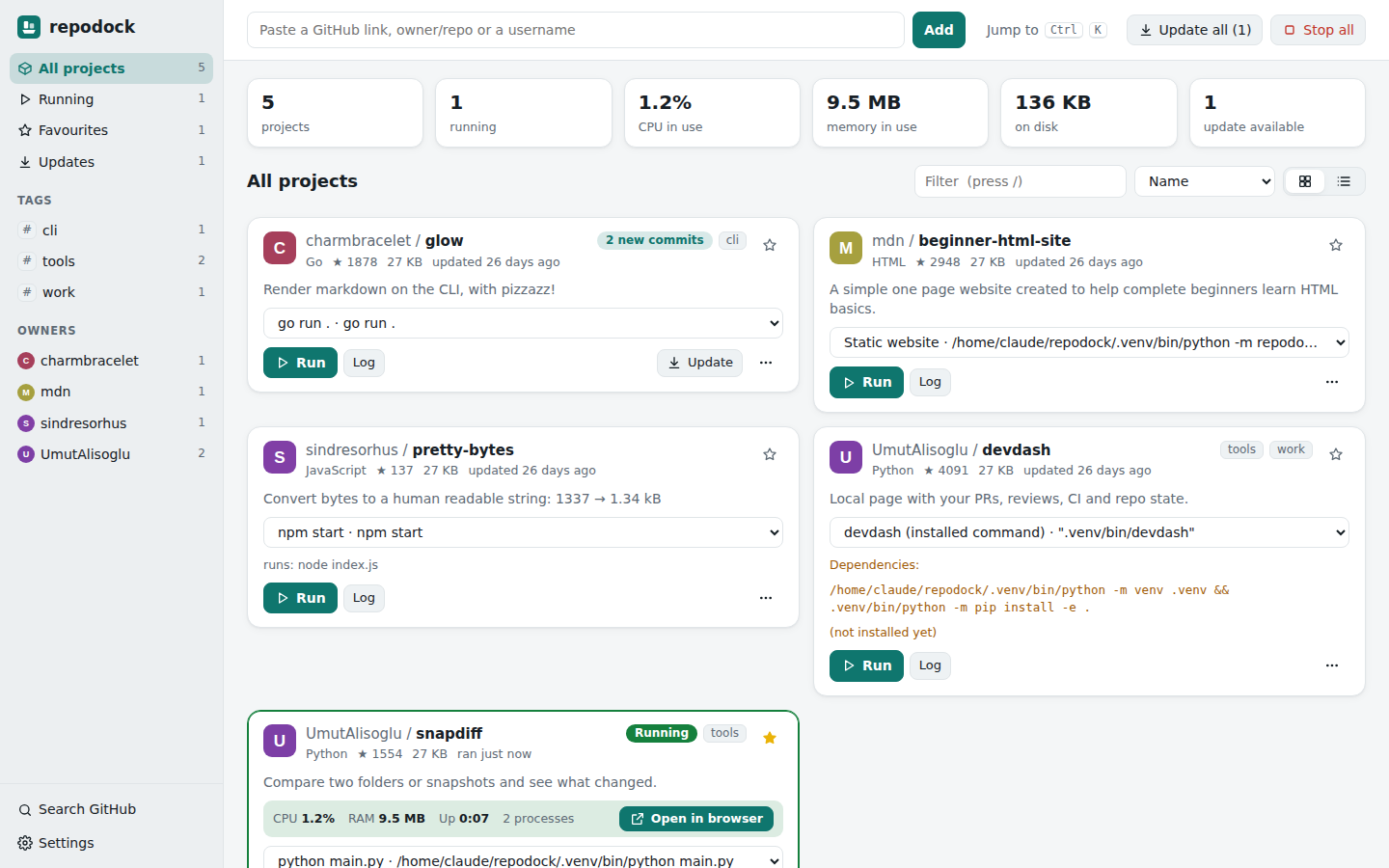
Start and stop projects, inspect live output and see CPU and memory usage from one place.
LOCAL PROJECT LAUNCHER / WINDOWS APP
Found an interesting GitHub project? Give it a home on your desktop, with run controls, live output and fewer terminal windows to juggle.
THE IDEA
Repodock helps with the space between discovering a repository and actually running it. Paste a GitHub repository or username, download a project and review the detected commands before starting.
The dashboard brings together start/stop controls, live logs, resource use, ports and project settings. Each project still needs its own dependencies and runtime, such as Node.js or Python.
Start and stop projects, inspect live output and see CPU and memory usage from one place.
Organise projects with favourites and tags. Set ports, environment variables and custom build or test actions.
Check for repository updates and revisit recent run logs. Export and import your library without its environment secrets.
WINDOWS DOWNLOAD / V0.2.1
Installer: about 16.1 MB
Portable ZIP: about 26.5 MB
Release information checked 11 October 2026.
Run the Windows installer, or extract the portable ZIP. The app uses Microsoft Edge WebView2. No separate Python installation is needed for the packaged app.
Paste a GitHub link. Review setup and run commands, then install the runtime that the project requires.
Use the project controls and inspect its output. Closing the window leaves apps running in the tray; choose Quit from the tray to stop them.
WHAT THIS PROJECT EXPLORES
Repodock brings project discovery, command detection and process controls into a desktop interface. It supports common project types, but unusual repositories may still need manual setup.
It is a Windows desktop download, not a browser tool. The repository also documents running from Python on macOS and Linux.